


Fifth Grade Learning Games
3.91.68K Reviews
App Specs
- Version
- 6.8
- Updated On
- License
- Free
- Downloads
- 1,000,000+
- Developer
- RosiMosi LLC
- Categories
- Educational
- Platform
- Android
Screenshots
 Analysis by AppCompare
I find that a fifth-grade learning game is most useful when it makes practice feel manageable rather than turning every spare moment into another lesson. Fifth Grade Learning Games is aimed at that middle ground: children can work through school subjects in a playful format, while an adult can use it as a short supplement to homework or classroom practice. I’d treat it as a way to revisit skills, not as a replacement for teaching, reading, or hands-on activities.
That distinction matters for families deciding what to install. A child who likes quick challenges may be more willing to practise than they would be with a workbook, but a game still cannot explain every mistake as patiently as a teacher can. The best results are likely to come from joining play to a small, clear goal: practise fractions for a few minutes, for example, then talk through one tricky question together.
Readability and navigation in a child-focused game
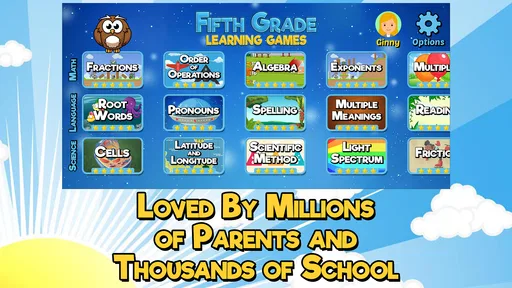
The app is an educational game from RosiMosi LLC, designed around fifth-grade topics. Its bright, colorful presentation gives it a welcoming feel, and the child-oriented interface is intended to make getting into the activities straightforward. I appreciate that the basic idea is easy to explain: choose a game, practise a subject, and keep moving through challenges. That simple loop is less intimidating than opening a broad learning platform filled with menus, accounts, and lesson plans.
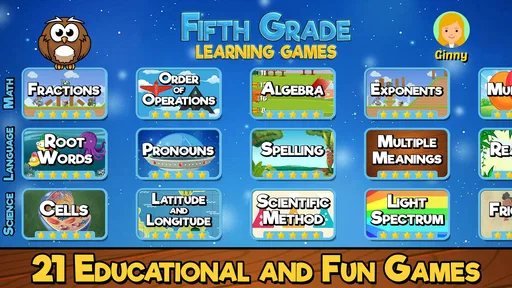
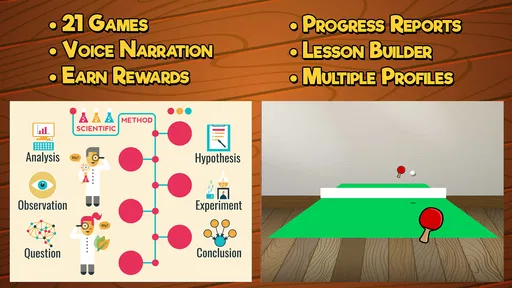
There are 21 games, giving children more than one kind of activity to try. That variety is useful when a child is losing interest in a particular exercise: switching to another game can refresh the session without abandoning practice altogether. I would still help a younger or less confident player find a suitable activity at first. A familiar adult can turn the first visit into a quick tour, then let the child take over once the basic choices make sense.
The app has a 3.9 average from around 7,100 ratings, and it has been installed over a million times. Those figures suggest that many families have tried it, but they do not tell me whether every child will enjoy the same activities. I’d use the first session as a trial of fit: notice whether the child can find a game independently, understands what to do, and stays interested without needing constant prompting.
Motor and sensory considerations during play
Colorful visuals and game-style interaction can make practice feel more inviting than a page of questions, especially for children who respond well to visual prompts and immediate challenges. At the same time, a lively screen may not suit everyone. A child who is sensitive to bright imagery, easily distracted by animated play, or more comfortable with quiet materials may prefer short sessions alongside a book or worksheet rather than a long stretch in the app.
Touch-based games also ask for a different kind of attention from reading or listening. If a child finds precise tapping uncomfortable or tiring, I’d watch how the controls feel in practice instead of assuming that a playful interface is automatically easy to use. There is no need to push through frustration: an adult can pause, help with the device, or switch to a paper activity and return another time. The important question is whether the game lowers the barrier to practising, not whether the child can keep playing continuously.
Worth Reading Before You Choose

EA SPORTS FC Mobile 26 Is a Bigger Football Game, but It Takes Time

Flipboard Shows What News Apps Must Do Beyond the Feed

Switching to Android Auto Means Rethinking Your Driving Routine

Google Calendar Makes a Crowded Week Easier to Manage

Ludo King Makes the Most of the Minutes Between Plans

Baby Panda World Brings Quick Play to Modern Phones, but Its Game Library Feels Busy
Situational access: home practice, school, and shared devices
This is a free game, with optional in-app purchases listed from $4.99 to $39.99 per item. I’d check the purchase prompts with a child before handing over a device, and make sure an adult is available to handle any buying decisions. That small bit of preparation can prevent a learning session from being interrupted by a request the child cannot evaluate.
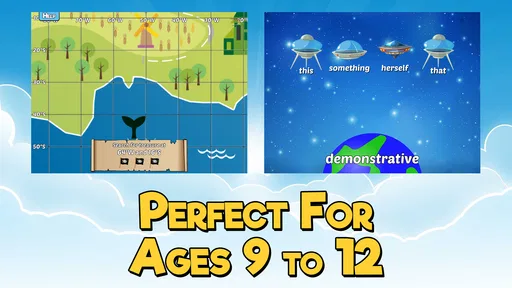
The app is rated Everyone and is suitable for the broad audience that rating describes, while its subject matter is specifically aimed at fifth graders. It was released on August 31, 2013, and its current version is 6.8, with Android 8.0 as the minimum OS. Those details are useful when deciding whether an older family device can run it; the age rating alone does not mean that its school level will suit every child in the household.
For a realistic routine, I’d use it after school as a brief change of pace: a child chooses one activity, plays until attention starts to wander, then explains what felt easy or difficult. On a shared tablet, agreeing on whose turn it is and which subject to practise can make the session smoother. In a classroom, I’d see it as an optional station or a reward after guided instruction rather than a whole-class lesson, since children may need different levels of help to get started.
Where it fits among other learning options
Compared with a workbook, the game format can make repetition feel less like a chore, but paper is often better when a child needs space to show working or slow down and think. Compared with a broad tutoring or curriculum app, this one has a narrower, fifth-grade focus and a set of separate games rather than needing to be treated as an all-in-one learning plan. I’d choose it for variety and practice, not for a complete record of what a child has mastered.
A useful way to get more from it is to connect each session to something outside the screen. If a child has just worked on fractions, ask them to explain a choice or spot a fraction in an everyday situation. That quick conversation can reveal whether the idea is sticking or whether the child was mainly responding to the game. It also keeps the app in its best role: a prompt for learning, rather than a substitute for understanding.
Limits worth considering before you install
The range of games is a strength, but variety does not guarantee that every activity will match a child’s preferences or support needs. Some children want a calm, predictable sequence; others are happier exploring different challenges. I’d avoid assuming that a child who dislikes one game dislikes learning, and I’d avoid making screen time the only route to practice. A printed exercise, a conversation, or help from a teacher may be a better fit when a topic needs careful explanation.
It is also worth thinking about what “progress” should mean for your family. A parent can use the progress tracking and customization described in the app to guide practice, but I would not treat a screen-based result as a complete picture of a child’s ability. Ask the child to explain their reasoning, and compare that explanation with what they can do in homework or daily life. That is a more useful check than simply asking whether they completed a game.
Who is likely to get the most from it?
I’d consider it for a fifth grader who enjoys interactive activities, needs a change from worksheets, or benefits from revisiting school skills in short bursts. It may also help a parent who wants a ready-made activity to offer while preparing dinner or organizing homework, provided the child can use the device comfortably and an adult stays in charge of purchases. For a learner who needs step-by-step instruction, extensive explanation, or a very quiet format, I’d pair it with direct help or choose a different resource.
Before making it part of a routine, try one session together and ask a few practical questions: Can the child locate an activity without getting lost? Do the instructions make sense to them? Are the visuals and touch controls comfortable? Do they want to return to it, and can they describe what they practised? Those answers will tell you more about fit than the number of games alone.
Getting Started with Fifth Grade Learning Games
First off, installing the app was a breeze. It’s available on both Android and iOS, so no worries about compatibility issues. Once you fire up the app, you're greeted with a vibrant and colorful interface that's super inviting for kids. The developers have clearly put thought into making the user experience as intuitive as possible, which is always a plus when it comes to kids. No one has time for a clunky interface, right?
A Plethora of Educational Content
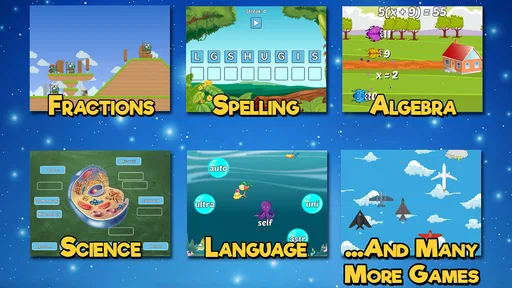
Now, let’s talk about what really matters—the content. The app is packed with a variety of games covering different subjects. Math, English, Science, and even Geography get their time to shine. This diverse range of topics ensures that kids get a well-rounded educational experience.
One of my favorite features is the math section. It includes games that focus on essential skills like multiplication, division, and fractions. The games are cleverly designed to reinforce these concepts through repetition and interactive challenges. It's a smart way to get kids practicing without them even realizing it!
Fun and Engaging Gameplay
The games themselves are not just educational but also genuinely fun. The developers have managed to strike a balance between learning and play, which is crucial. Kids can explore different levels and challenges, earning rewards along the way. These rewards serve as motivation to keep playing and learning—because who doesn’t love a little positive reinforcement?
One game that stood out to me involved solving puzzles to unlock new levels in a magical world. It felt like a mini-adventure each time, and I can see how this would be a big hit with the little ones. The graphics are bright and engaging, adding to the appeal.
Track Progress and Customize Learning
For parents and educators, the app offers a handy progress tracking feature. You can monitor how well your child is doing in each subject area, which is a great way to identify strengths and areas for improvement. The app also allows customization, so you can tailor the learning experience to suit the child’s needs.
Imagine being able to adjust the difficulty level or focus on specific topics that need more attention. This feature makes Fifth Grade Learning Games flexible and adaptable, catering to different learning paces and styles.
Wrapping It Up
All in all, Fifth Grade Learning Games delivers a fantastic mix of education and entertainment. It’s a well-thought-out app that keeps kids engaged while helping them learn crucial skills. Whether you're a parent wanting to supplement your child's education or a teacher looking for a classroom tool, this app is worth considering.
So, if you’re on the hunt for an educational app that your fifth grader won’t roll their eyes at, give this one a whirl. It’s a fun, interactive way to learn, and who knows? You might just find yourself enjoying a game or two as well!
Pros
- Engaging mini-games for learning.
- Colorful graphics captivate children.
- Covers a variety of subjects.
- Adaptive difficulty for different levels.
- Encourages critical thinking skills.
Cons
- Ads can be distracting at times.
- Limited content in the free version.
- Requires internet for some features.
- In-app purchases can add up.
- Some games may be too easy.
FAQs for Fifth Grade Learning Games
What is Fifth Grade Learning Games and what does it offer?
Fifth Grade Learning Games is an educational app designed to enhance learning for fifth graders through interactive games. It covers a variety of subjects, including math, science, language arts, and social studies. The app is structured to align with common educational standards, making it a valuable tool for reinforcing classroom learning.
Is Fifth Grade Learning Games suitable for all learning styles?
Yes, Fifth Grade Learning Games is designed to cater to different learning styles, including visual, auditory, and kinesthetic learners. The app uses engaging visuals, interactive audio, and hands-on activities to ensure that all students can benefit from its educational content, making learning both fun and effective.
Does the app require an internet connection to function?
While Fifth Grade Learning Games can be used offline for most features, some content may require an internet connection for updates or additional resources. It's recommended to initially download content while connected to Wi-Fi to ensure a smooth learning experience without interruptions.
Are there any in-app purchases in Fifth Grade Learning Games?
Yes, the app may include in-app purchases to unlock additional content or features. While the basic version provides substantial educational material, purchasing additional content can enhance the learning experience. Parents can manage these purchases through device settings to ensure a controlled environment.
How does Fifth Grade Learning Games support parents and teachers?
Fifth Grade Learning Games includes features for parents and teachers to track progress and customize learning paths. The app provides detailed reports on student performance, helping adults identify areas where a student may need additional support, thereby facilitating a more targeted and effective learning experience.


